 TileMark
Broken links
Websites move, close and rename pages. TileMark checks your links regularly and tells you which ones no longer work, so your collection stays useful.
How it works
- Once a week, TileMark checks every link of every account, quietly in the background.
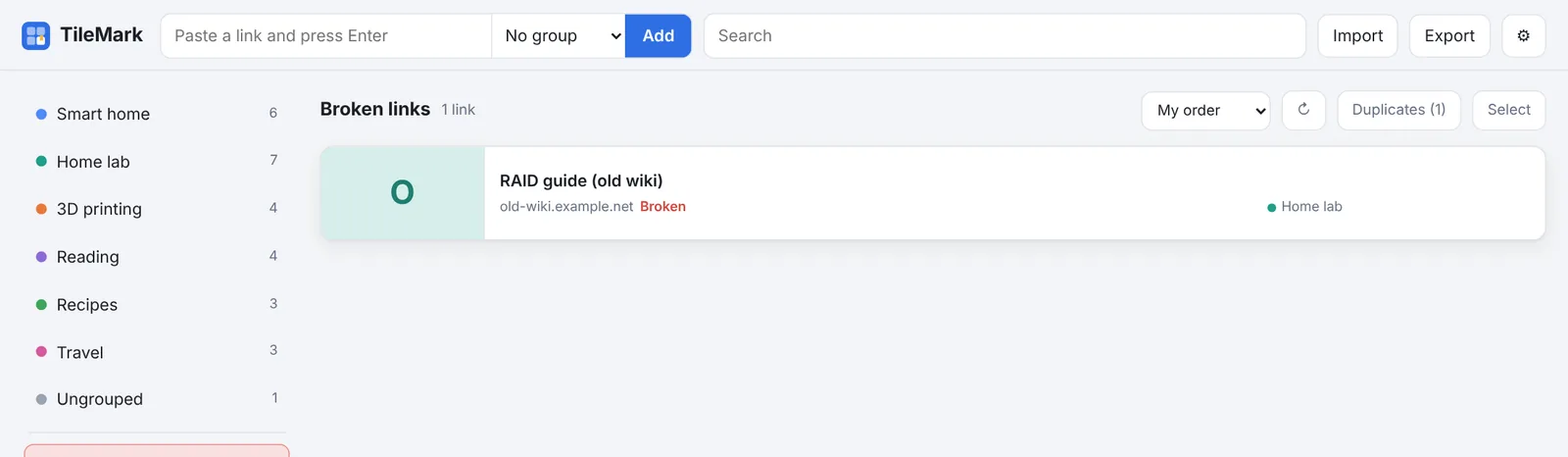
- A link that no longer works gets a red Broken label on its card and appears in Broken links in the left column.
- When a later check (or ↻ on the card) reaches it again, the label disappears by itself.
A link counts as broken only when:
- its address can't be reached twice in a row (a few seconds apart), or
- the site answers that the page doesn't exist (error 404 or 410).
Pages behind a sign-in, sites that block automated visits, and temporary server errors are not counted. A link isn't flagged just because a site is picky or briefly down.
When TileMark itself can't get online
A link that can't be reached may also mean that TileMark's own connection is the problem: the machine lost its internet, or a VPN or firewall is swallowing traffic. TileMark guards against that in two ways, so your links aren't all flagged at once:
- Before each check it tries to open a few well-known sites. If none of them answers, the check stops and nothing is changed. ⚙ Settings → Link check then says the check stopped because TileMark couldn't reach the internet. The weekly check tries again later by itself.
- During a check of 10 links or more, if more than half of them can't be reached, TileMark takes that as a connection problem too. Those links are left as they were, and Settings says how many it couldn't reach. Links that did answer (working again, or "page doesn't exist") are still updated.
If you see either message, check the network of the machine TileMark runs on. Pages that open in your own browser but not from TileMark often point to a VPN route or firewall rule that applies only to that machine.
Checking now
⚙ Settings → Link check → Check now checks your own links straight away. For an admin it checks the links of every account, the same as the weekly check: it counts as that week's check and is reported to Home Assistant. You can close Settings meanwhile; the check continues in the background and the status line shows its progress.
Refresh all titles and pictures, in the same place, fetches every title and picture again. Handy after a big import, or when many sites changed their pictures.
What to do with a broken link
Open Broken links and, for each link:
- ✎ Edit it and fix the address, if the page moved;
- ✕ Delete it, if the page is gone; or
- leave it: maybe the site is down for a while. The next check clears the label if it comes back.
For the admin
- The weekly check is switched on or off for everyone in ⚙ Settings → Installation → Check everyone's links automatically once a week.
- Links to addresses inside your network are skipped while fetching local addresses is off, so they are never reported as broken. See Local addresses.
- With Home Assistant sensors, the number of broken links is a sensor, and the end of each check of all links (weekly, or an admin's Check now) is an event you can use for a phone notification.