 TileMark
Paste a link and it becomes a card with a picture. Sort your cards into coloured groups, open them from any device, and keep them private, for everyone in your home.
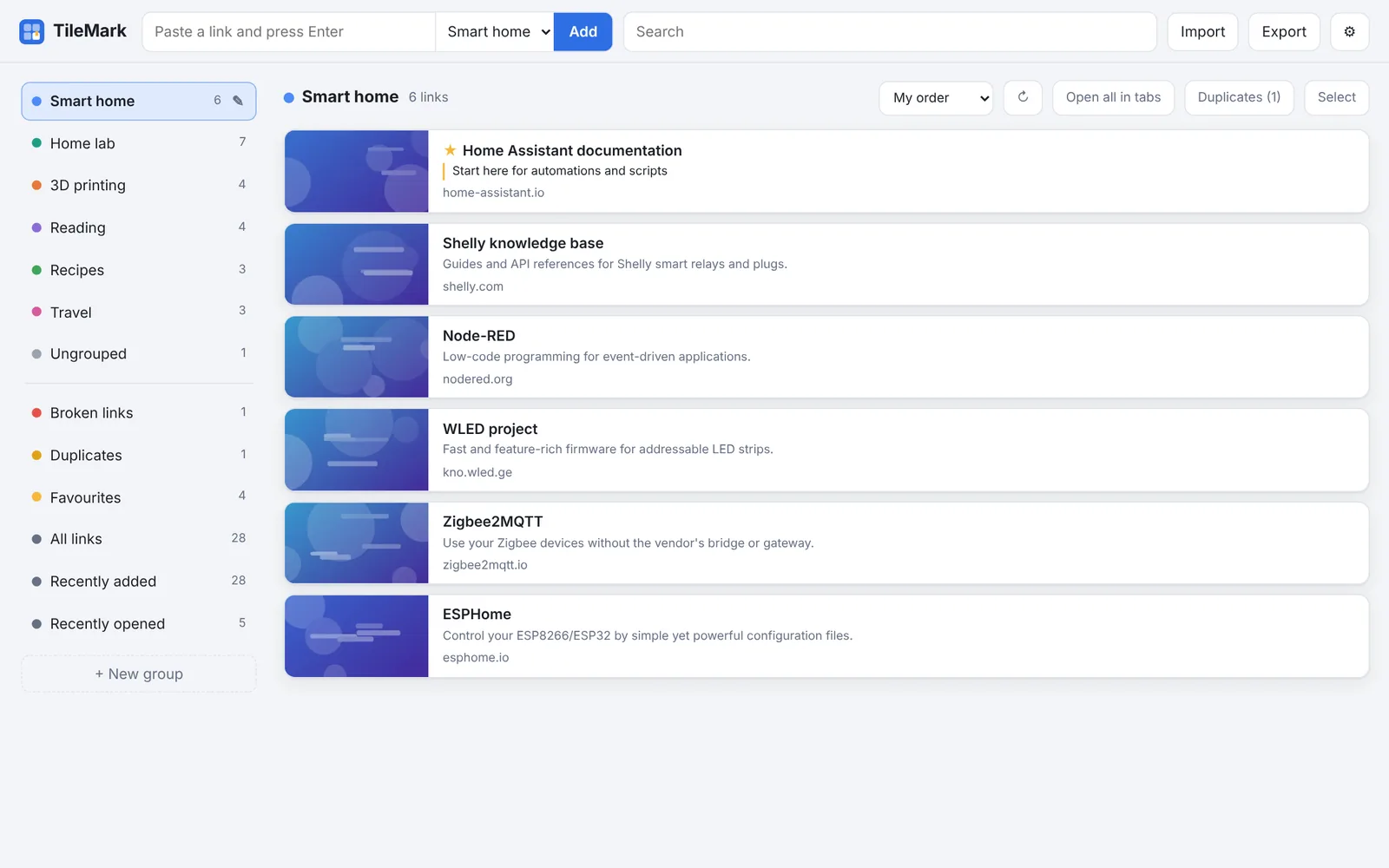
One small app, one container, one data folder. No cloud service, no tracking, no account anywhere.
Every link gets the picture and title its site publishes. Find things at a glance instead of reading a list of names.
Coloured groups in your own order, favourites on top, notes on cards, and two layouts to choose from.
A browser button, your phone's Share menu, or an API key for scripts and Shortcuts.
Everyone in your home gets their own links. Two-factor sign-in, device list, and nothing reachable without signing in.
Duplicates are recognised, tracking junk is stripped from addresses, and a weekly check finds links that stopped working.
Install it as an app with its own sidebar page, and get sensors and notifications through MQTT.
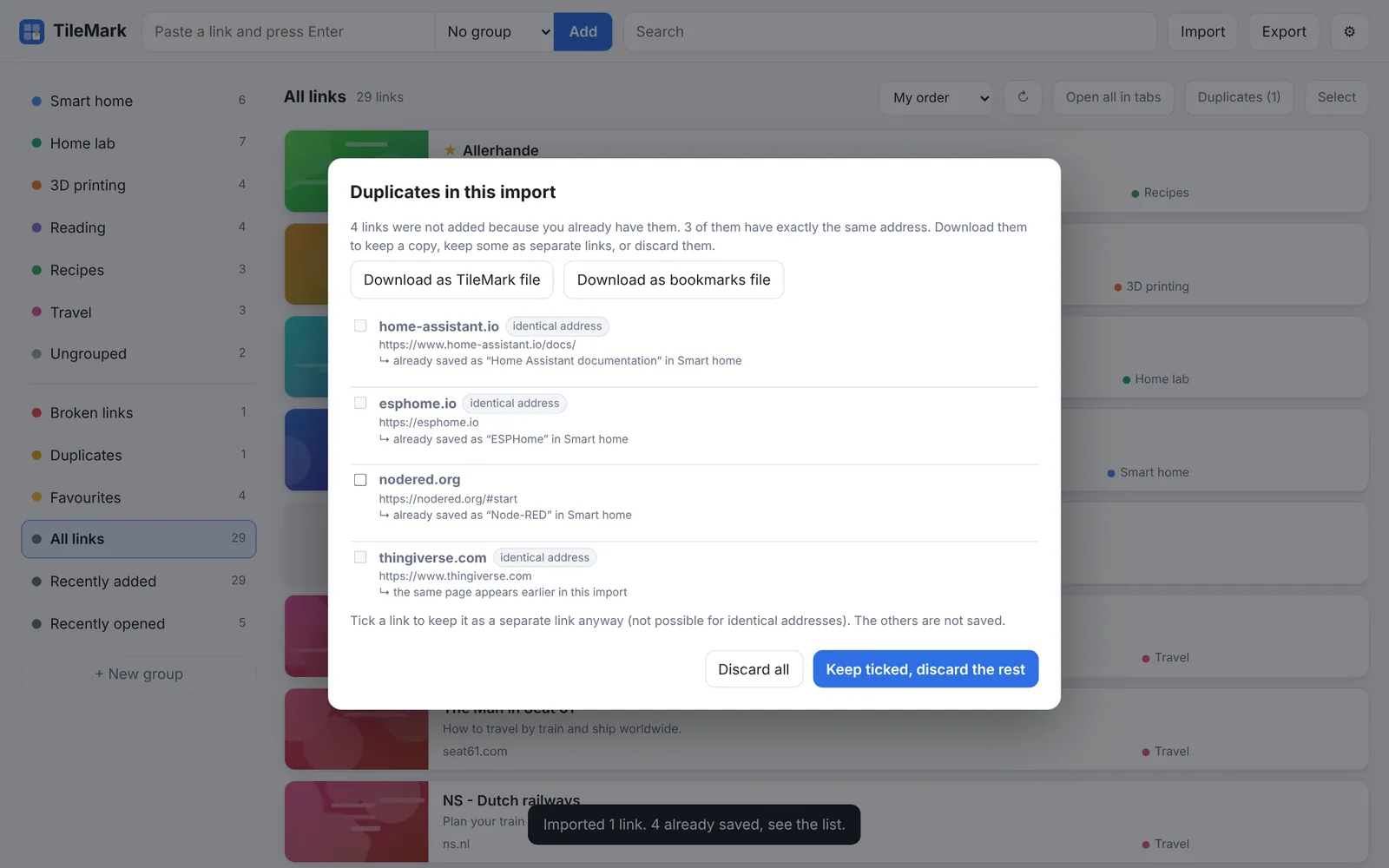
Import from Edge, Chrome, Firefox, Brave or Safari in one go: folders become groups. Links you already have are listed for you to review, never dropped silently.
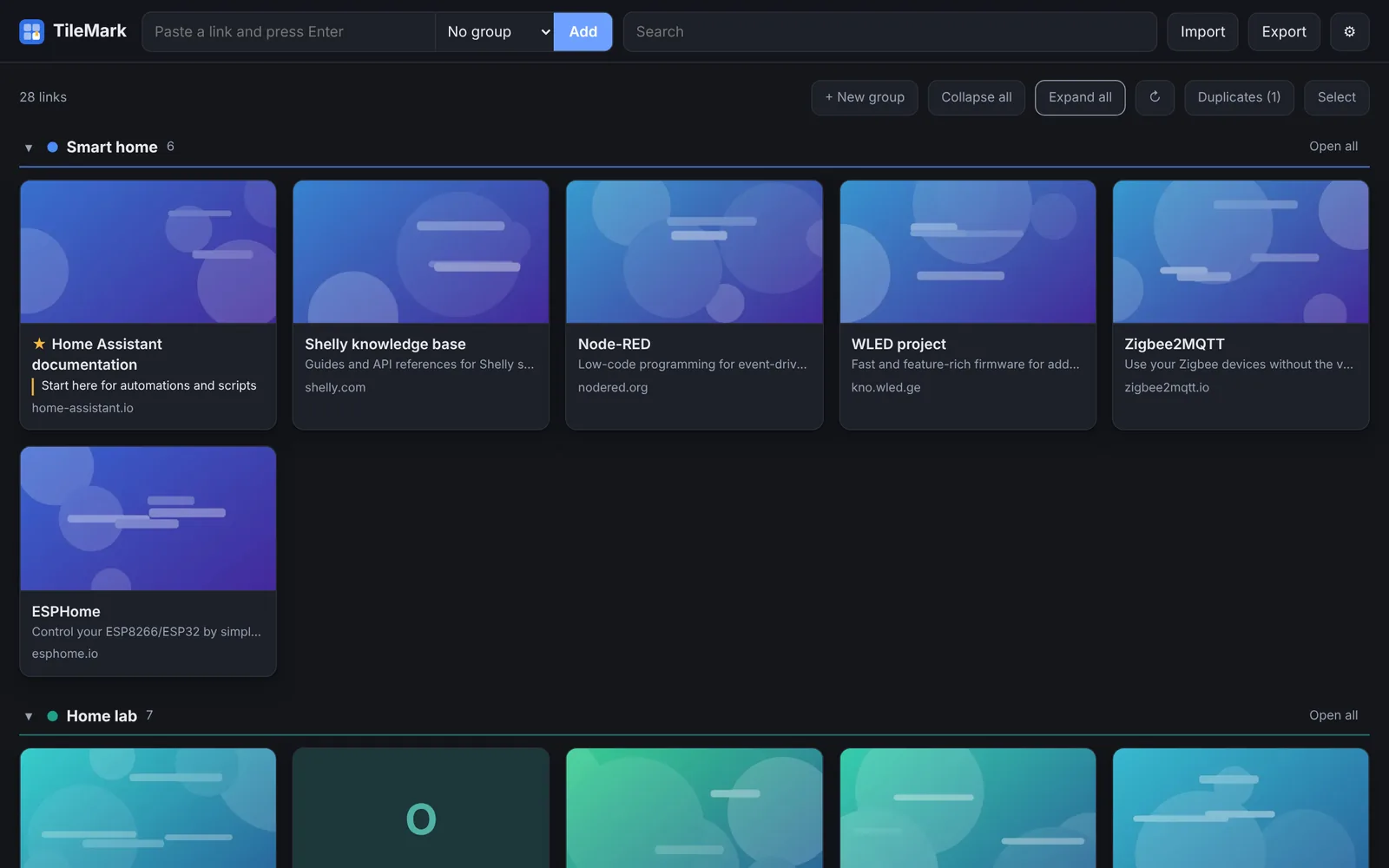
Groups in a side column with a compact list, or every group on one page with large picture cards. Light and dark follow your device.
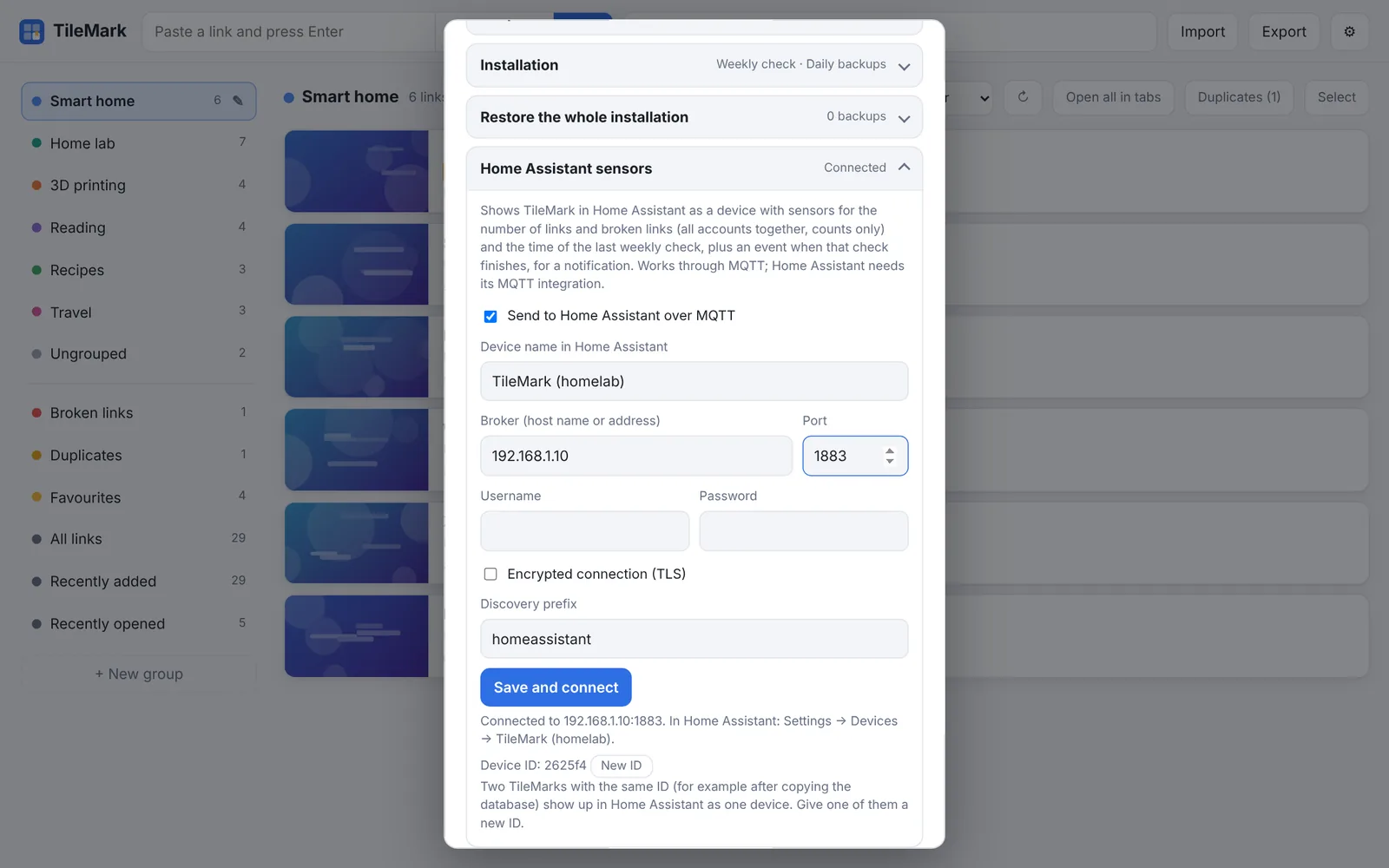
TileMark shows up in Home Assistant as a device with sensors for your links and broken links, plus an event when the weekly check finishes. No YAML needed.
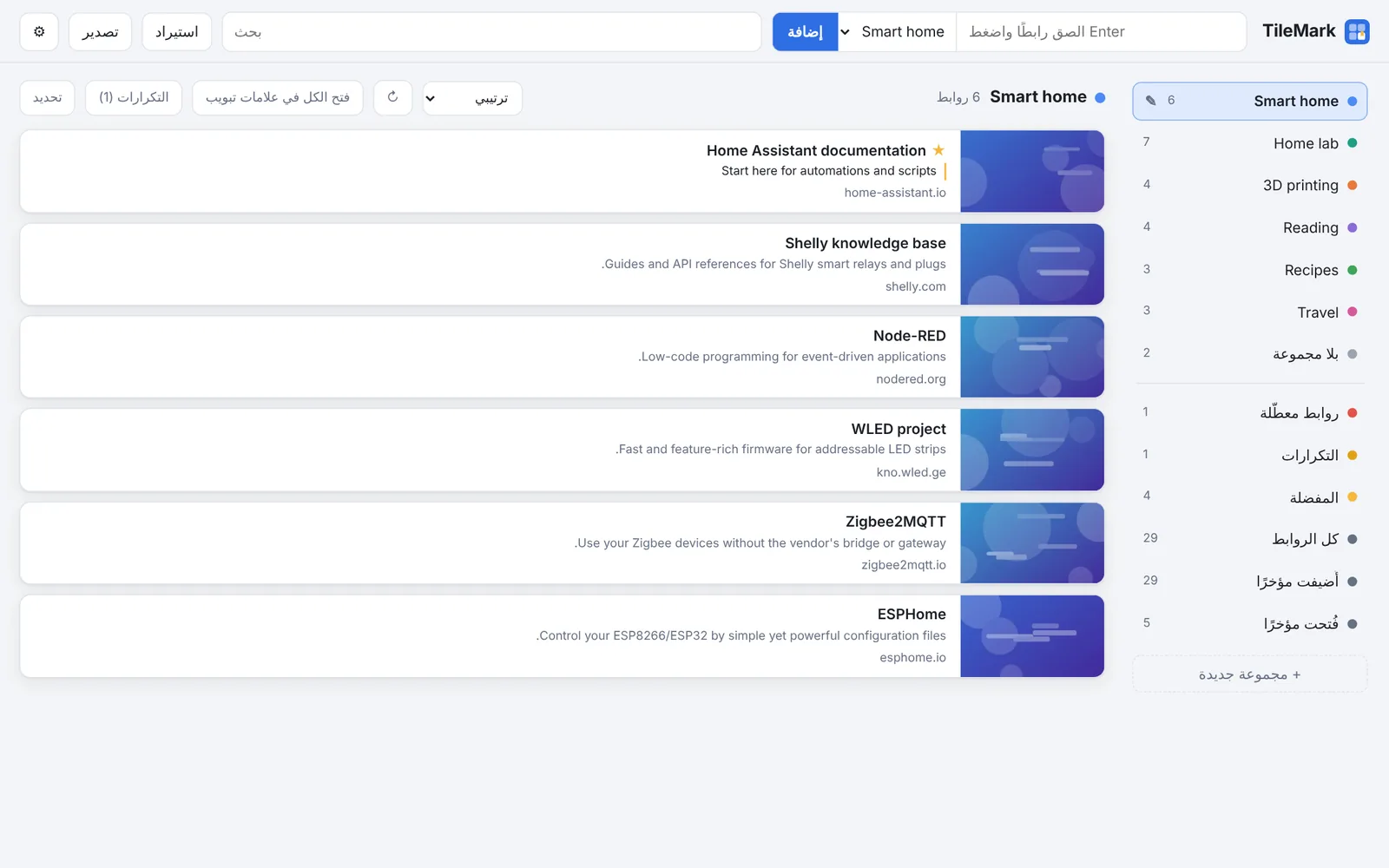
English, Dutch, German and Arabic, with a full right-to-left layout. TileMark follows your browser, or each person picks their own.
Pick the way you run your home server.
Dockge, Portainer or plain Docker Compose:
services:
  tilemark:
    image: ghcr.io/sevagjb/tilemark:latest
    container_name: tilemark
    restart: unless-stopped
    ports:
      - "8080:8080"
    volumes:
- ./data:/dataAdd the repository, install TileMark and turn on Show in sidebar. You're signed in with your Home Assistant account.
